PenciDesign Supporter replied
Hi,
Please go to dashboard > Pages: select to edit all the WooCommerce Pages (Cart, Checkout, My Account),
Click the "Quick Edit" button > Templates > select "Page No Sidebar".

Regards,
PenciDesign.
Thanks :-)
Hi,
I am working on installing Woocommerce on my Soledad website, but the shopping cart icon is visible under setup. Is it possible to disable these shopping icons until webshop is ready for launch?
Thanks,
Thomas
Super - thanks a lot ??
Hi,
I am sorry to disturb you, but after having emptied the cache, I still see the errors in the menu on mobile, where you are not able to see the dropdown menu when you click on the main categories. Does it work on your mobile devices?
Thanks
Thomas
Hi,
Thanks so much :-) What was wrong with the configuration?
Thanks for your support!
Thomas
Hi,
I have just emptied all cache, but it does not resolve the issue. I have not installed any new plugins recently.
Thanks
Thomas
Hi,
After having updated Soledad to the latest version, my menu on mobile does not work any longer - when you click on for instance “Inspiration” you shoul see a dropdown menu, but you dont and see the main page of “Inspiration”.
What has suddenly gone wrong after update?
Thanks
Thomas
Thanks ??
Hi,
The site is live again, but I think the problem has been resolved.
Have a nice weekend.
Thomas
Hi,
Thanks ?? I believe it works on other remote devices as shown in the video.
Thanks
It looks the same as inkognito on my phone. Have you tried to click on the search icon and search for “brunsviger” and click on the post. Can you see this page with styling?
Hi,
I have cleared the cache, but when I click on a menuitem in the main navigation, I get the post without styling - please see attached.
Thanks
Hi,
After having speed optimized the site, there are problems with the styling when you click on a post in search or in the main navigation - please see screenshot. There is something wrong with the styling.
Thanks
Thomas
Thanks - I think it helped quite a lot with the page speed optimization within the theme, but I have not excluded the google ads because it conflicts with the ad network. Now GTMetrix score is much better - can you see? :-)
Thanks,
Thomas
Hi,
So you are saying that I have to follow your pagespeed optimization in the theme, but exclude the JS at Appearance → Customize → Speed Optimization → Optimize JavaScript → Exclude Scripts from Delay Execution?
Thanks,
Thomas
It conflicts with my ad network, when you want me to delay Google ads. I have tried it several times with lots and lots of problems with the ad network on my blog.
Thanks for your fast reply, but I have tried this solution, and it conflicts with ad network and some plugins.
Hi,
I am experiencing rather slow load times on my blog baregomad.dk, even though I have activated speed optimization in settings. I get an E-score on Gtmetrix - see screenshot. What is wrong with the theme and what is slowing it down? I hope you can see it.
Thanks,
Thomas
Thanks :-)
Hi,
Does the Soledad theme have a widget from which I can make a signup form for a newsletter in Mailchimp?
Thanks,
Thomas
Hi,
New update - Slickstream has resolved the issue and it was not related to the Soledad theme.
Apologize for the incovenience.
Thanks
Thomas
Thanks,
I have contacted the Slickstream support, but they say that they dont have any issues at the moment on my blog :-(
Thomas
Hi,
Yes - https://baregomad.dk/baba-ganoush/ - just click on the search icon in the top or in the right corner at the bottom - there are no images related to the search recommodations anymore.
Hi,
After having updated Soledad to the latest version, the Slickstream integration fails showing images in search and recommodation - please see attached screenshot. You can see the missing images when you push the search field on baregomad.dk.
Thanks,
Thomas
Okay, thanks a lot :-)
Regards,
Thomas
Thanks, perfect :-)
Hi,
How do you create this widget with exact same design within Widgets in Wordpress? Right now I am using Soledad Popular Posts, but I can not get the same layout.
Thanks,
Thomas
Thank you :-)
Is it possible to control after how many seconds the promo popup should appear on the page?
Thanks,
Thomas
Hi,
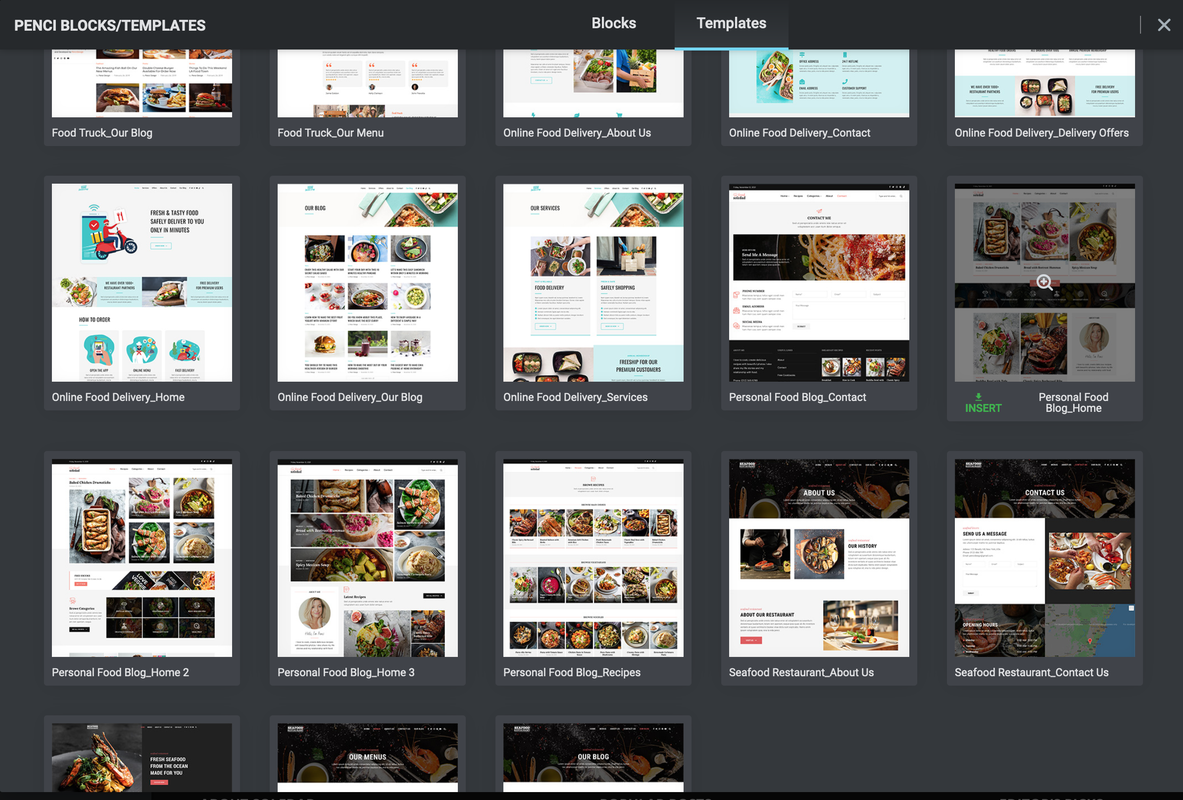
Have you made a penci block design for newsletter signup to the new promo pop up function?
Thanks,
Thomas
Hi,
Ok, thanks :-)
/Thomas
Hi,
Here you go sir - on all pages within Soledad theme builder.
Thanks
Thomas
Hi,
I have no AdBlock software installed on my pc, but after having installed AdBlock Plus on my pc, the message is gone. How does this make sense? I am only experiencing this message on my pc in the Soledad theme builder - no where else.
Kind regards,
Thomas
Hi,
Thanks for your reply. I have activated "Custom fields" but I can not see penci_recipe_rate_total and penci_recipe_rate_people. I have updated the post but the two fields do not appear. I attach a screenshot. Do I have to activate something in the theme?
Thanks,
Thomas
Hi,
Thanks, It think its already verified - that is what Pinterest says, so perhaps it should be working both on mobile and desktop even though the function fails on mobile.
Thanks,
Thomas
Hi,
No - I am not using any Pinterest plugins, but on my desktop there is no error - only on mobile devices.
Thomas
Hi,
I have changed the recipe layout to style 4 with the pin button, but when I push the pin it button I get a message saying “API method not found” - what do I need to do in order to get this working?
Thanks,
Thomas
Hi,
After the latest update of the Soledad theme, the fonts on mobile devices are all the sudden default and wrong, but on desktop the fonts are ok. I have not changed anything - only updated the theme.
Can you resolve this problem?
Thanks
Thomas
Hi,
All the sudden my main navigation has stopped working. No matter which menu item I click I go back to the frontpage. What has happened?
Thanks,
Thomas
Thanks a lot :-)
I am only using Ad Inserter Pro, but maybe its viewports are causing this issue.
Does Soledad theme have a function to pin blog post images?
Kind regards,
Thomas
Thanks so much - it worked perfectly :-)
Have a nice day.
/Thomas
Hi,
Thanks for your fast reply - super support as always :-) It worked by inserting #header - the topbanner is now displayed on all posts. Is it possible to insert margin in top and bottom of this topbanner via CSS in Soledad?
Thanks,
Thomas
Thanks :-)
Hi,
I have recently added the Slickstream plugin to my website baregomad.dk, and Slickstream is asking me to add an empty container which will look like this <div style="min-height:72px;" class="slick-film-strip"></div> in my page template. Where do I add this empty container in the Soledad theme? You can see want they want me to do here https://www.slickstream.com/support/reducing-jitter-and-improving-cls.
I hope you can help me.
Thanks, Thomas
Okay, thanks for your support and have a nice day ?
Okay, thanks - I will try that, but it is only a problem in the Chrome browser on mobile.
Hi,
Thanks for reaching out so quickly - I have cleared the cache but I can not see any changes concerning the width. Can you see any changes?
Thanks
Thomas
Hi,
I have just update to the latest Soledad version, but now on mobile the text (tablewidth) goes to the edge of the screen 100% - there is no spacing to the left and right anymore as you can see in attached screenshot.
What has gone wrong after newest update?
Thanks.
Thomas
Thanks a lot for your quick reply - your guidance has resolved the matter concerning wrong ratings in Google.
Thanks and merry christmas.
Thomas.
Hi,
And merry christmas.
Recently I have discovered that my listings in Google are showing the same rating number which is "5" on all recipes from my Soledad blog thme. This is not correct and have worked fine until recent update of the recipe plugin. Can you resolve this issue?
Thanks,
Thomas
Hi,
Thanks for your professional assistance - your support is much appreciated.
Everything is fine now, and I will replace the shortcode widget as shown in the video.
Thanks and have a nice day.
Thomas
Hi,
Its the icons next under the recipe title - I attach a screenshot :-)
Furthermore the button "Go to recipe" located in the top of the post which you can activate under "Recipe options" does not work. The button does not appear in the top.
Thanks,
Thomas
Hi,
I have just solved the issue with the missing recipes on all my posts - I updated the recipe plugin and it was resolved.
However - is it possible to change the icons for "Calories", "Time total" etc.? I want another symbol for cooking time.
Thanks,
Thomas
Hi,
I have just updated my Soledad theme to the latest version, but now Penci recipe shortcode doesnt work on all my posts. What to do? You can see an example here https://baregomad.dk/churros/.
Thanks,
Thomas
Hi,
I have just received a new update from Litespeed Cache Version 3.5.0.2, and this has resolved the caching issue and live time. There must have been a bug in the latest update of Litespeed Cache.
Thanks for your support.
Regards
Thomas
I have deactivated the Litespeed Cache plugin in order to get all images up and running. I have cleared and purged cache and lazyload is disabled, but still images were not visible.
Hi,Thanks for your quick response :-)
Lazyload is disabled, but the images are still not visible at the moment. Dont you think it has something to do with the new version of Litespeed Cache and Soledad?
Thanks,
THomas
Hi,
I have just updatede my Litespeed Cache plugin to the newest version, but after update all post images are missing. I have deactivated the Litespeed plugin and everything is working again, but is there a bug in the Soledad theme concerning cache and post images after having updated Litespeed Cache, or is it Litespeed paticularly?
Thanks,
Thomas
Thanks for your quick response ? The problems have been resolved by installing the older version of Elementor ?
Best regards
Thomas
Hi,
Try this page https://baregomad.dk/knuste-kartofler/ - there should be a widget with the title "MØD FORFATTEREN BAG BAREGOMAD.DK" :-) If you still cant see this widget what about "SENESTE INDLÆG" - can you hide this widget on mobile devices?
Thanks,
Thomas
Hi,
Thanks for reaching out so fast. If you take one of my posts like this one https://baregomad.dk/spidskaalssalat-med-aebler-sesam-og-mandler/ I want to hide the widget with title "MØD FORFATTEREN BAG BAREGOMAD.DK" on mobile devices - is that possible?
Thanks,
Thomas
Hi,
I am a happy owner of the Soledad theme, and I can not figure out how to show or hide custom sidebars on mobile devices - I dont want as many widgets on mobile. Is that possible within the theme?
Thanks,
Thomas
Want to join this conversation or access attachments? Sign in first.
Open your ticket archive, review validated licenses, and continue product support conversations from one customer portal.