boezem replied
Customer Reply
THANK YOU!!
Hello,
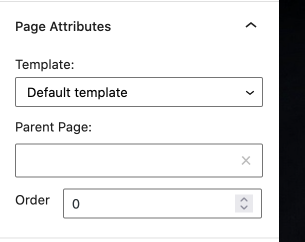
My English ain't that good. That probably explains the miscommunication. However, I understand now the issue with the breadcrumbs. I changed the setting to defauld template. Thank you!
I just don't understand where in the Appearance → Menus, I can add a Link for the 'Blog menu item' (see attachment).
And can you also answer my question about position of the sidebar + content:
3. When I make on a page in a container a split between sidebar+content and change the custom position of content ans sidebar on mobile, the position of content does not adapt. It is now specifically about this page: http://levenmetanorexia.com/blog/. In de attachement a preview of the settings.
I will not change the permalink. Thanks for explaining!
Regards,
Saya
Hello,
1 & 3. Here are the page URL's that does not change on the front-end:
I don't understand the your note.. I also don't know where to find this.
2. The 'Blog' button in the Main Menu also doesn't work when I use the incognito window. And I have already uncheck the option Disable pagination block with the page Fullwidth (see attachement).
And do you know why 'blog' isn't part of the breadcrumbs of URL even if is it part of the menu structure, see this URL for example: http://levenmetanorexia.nl/category/leven-met-anorexia/
This should be: http://levenmetanorexia.nl/blog/category/leven-met-anorexia/
I also have a new issue. I can't update the WPBakery Page Builder (from 6.5.0 to 6.7)
Regards,
Saya
Hello,
It seems that I have some bugs in the website.
1. If I change the 'Page Options for Default Template' on a page, for example to show the breadcrumbs and social sharing in the bottom, this will not be changed (see preview). I also adjusted this for the 'Page Options' in the customizer, but still nothing change.
2. On the desktop the menu button 'blog' doesn't respons. On mobile it works fine. Also 'blog' is not included in the breascrumb, while this is part of the menu settings.
3. When I make on a page in a container a split between sidebar+content and change the custom position of content ans sidebar on mobile (see preview), the position of content does not adapt.
Hopefully you can help to work this out.
Regards,
Saya
Want to join this conversation or access attachments? Sign in first.
Open your ticket archive, review validated licenses, and continue product support conversations from one customer portal.