Skip to content
Public Ticket #17799

Translate Shortcode plugin

Conversation thread

PenciDesign Supporter replied

Staff Reply

Hi,

Yes. Just search all text with 'pencidesign' the replace it with 'penci-portfolio'.

Regards,
PenciDesign.


fioridizuccaimmagine replied

Customer Reply

Hi again,

can you explain what you did to enable translation?
I don't want to ask you this thing every time I update portfolio.

Thanks.

--edit: I found the issue. In some files "penci-portfolio" was called "pencidesign".

PenciDesign Supporter replied

Staff Reply

Hi,

Please download the attachment file then update the Penci Portfolio plugin.

Regards,
PenciDesign.


PenciDesign Supporter replied

Staff Reply

Hi,

Yes. We'll add the translation text on the next version of Penci Shortcode.

Regards,
PenciDesign.


fioridizuccaimmagine replied

Customer Reply

Thanks.

Maybe in a future update can you translate penci shortcode too?

PenciDesign Supporter replied

Staff Reply

Hi,

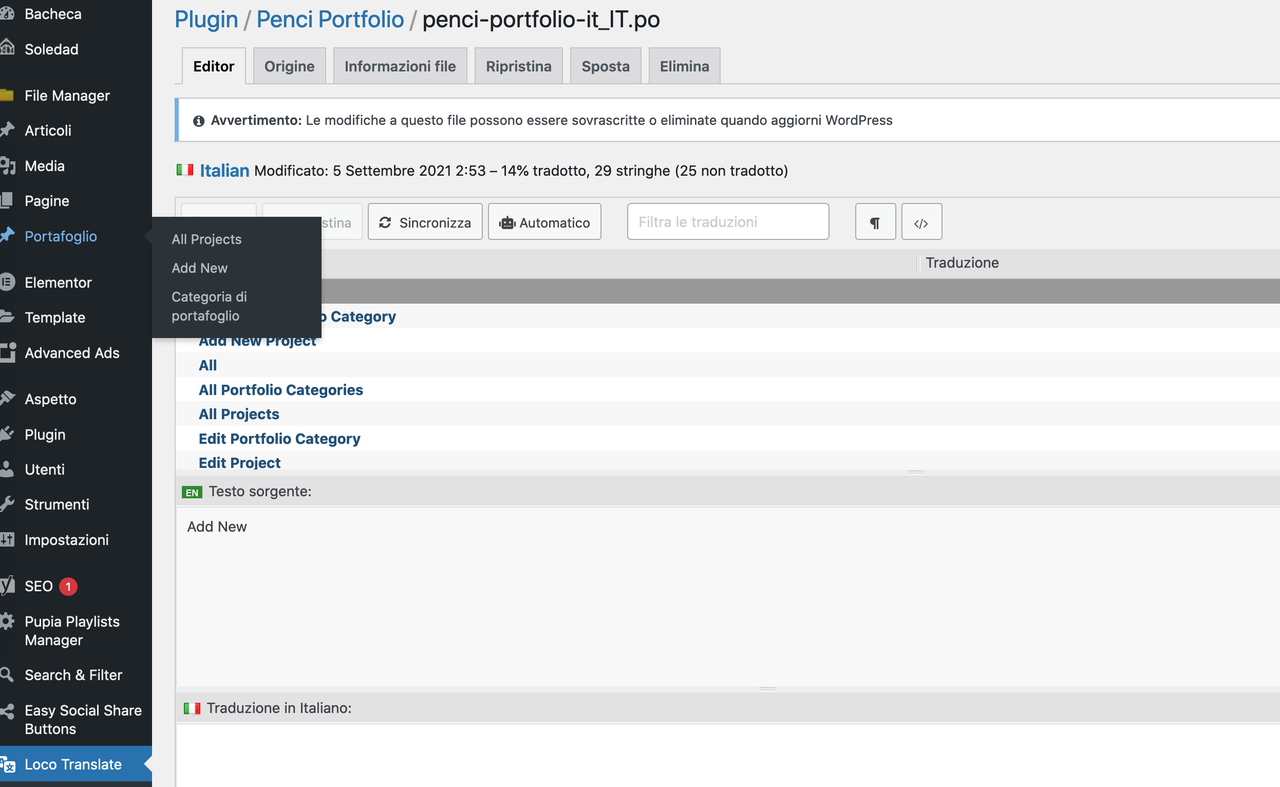
I've config the Loco translate plugin & .po file work with Penci Portfolio.

Please check.

image.png

Regards,
PenciDesign.

fioridizuccaimmagine replied

Customer Reply

I read manual etc but it doesn't work.

Anyway I don't want to use another plugin, Poedit is enough, the problem is that the mo file doesn't work for your plugins.

Are you sure those two plugins are translatable?

fioridizuccaimmagine replied

Customer Reply

Thanks for your reply.

For some plugins like penci shortcode it seems translation are not possible while for some others it simply doesn't work, for ex. I tried to upload .mo file for penci-portfolio both in languages/plugin and in penci-portfolio/language but it doesn't work

Errore: Translation set not known in Penci Portfolio


4552098495.png

PenciDesign Supporter replied

Staff Reply

Hi,

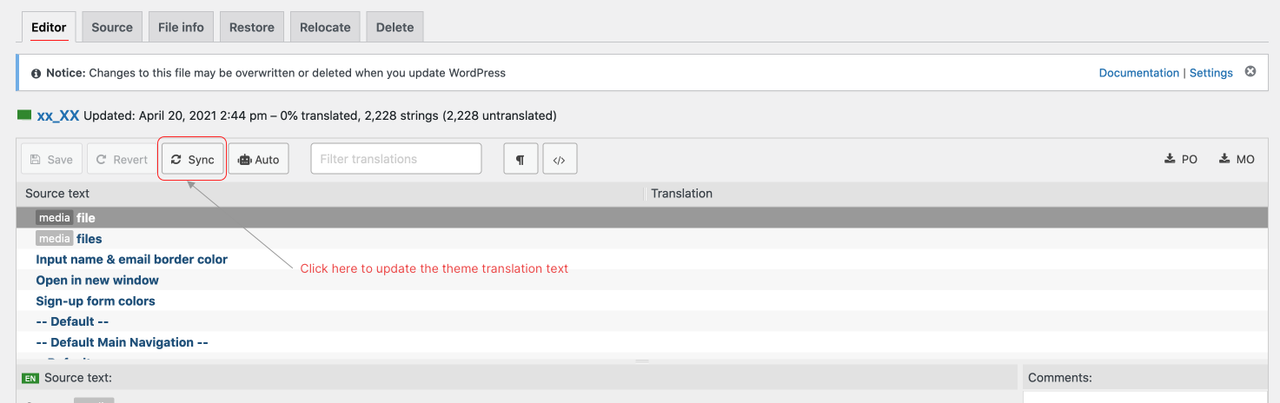
Please go to the tab Editor, click the Sync button then search the string again.

image.png

Regards,
PenciDesign.


fioridizuccaimmagine replied

Customer Reply
Thanks for your reply, actually the plugin just looks for a .po file but in that file that text doesn't exist.
2508812270.png

PenciDesign Supporter replied

Staff Reply

Hi,

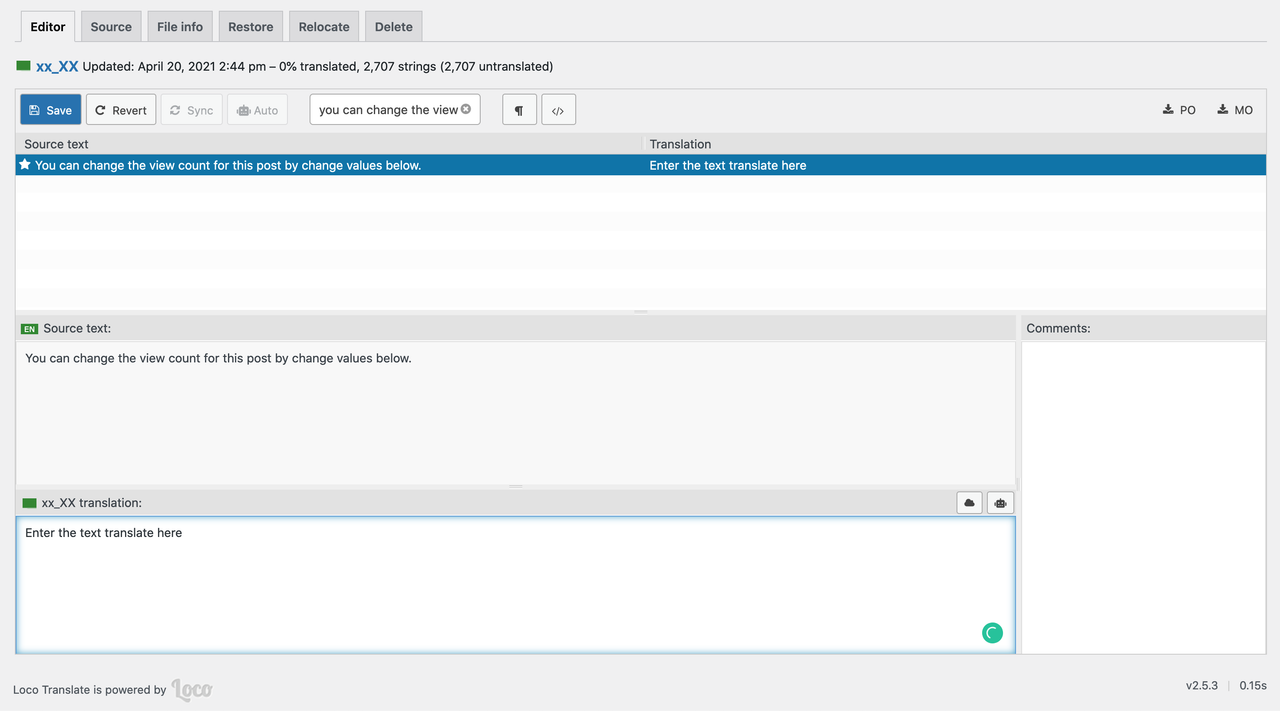
You translate all the strings on the back-end by install the Loco Translate plugin, then select the Soledad theme and search the string you want to translate as the screen below:

image.png

Regards,
PenciDesign.


fioridizuccaimmagine replied

Customer Reply

HI again,

can you tell me how to translate this part of theme?

PenciDesign Supporter replied

Staff Reply

Hi,

Unfortunately, there's no option to translate the Penci Shortcodes & Performance plugin.

We'll add the translated text option on the next release.

Regards,
PenciDesign.


fioridizuccaimmagine started the conversation

Conversation Start

Hi, can you tell me where I can translate Penci Shortcodes & Performance?

Want to join this conversation or access attachments? Sign in first.