Skip to content
Public Ticket #18220

Logo

Conversation thread

PenciDesign Supporter replied

Staff Reply

Hi,

This button is built with WP Bakery Page Builder, you can easily change it by edit the home page with WPBakery, then select this button and change color via the element option as the screen below:
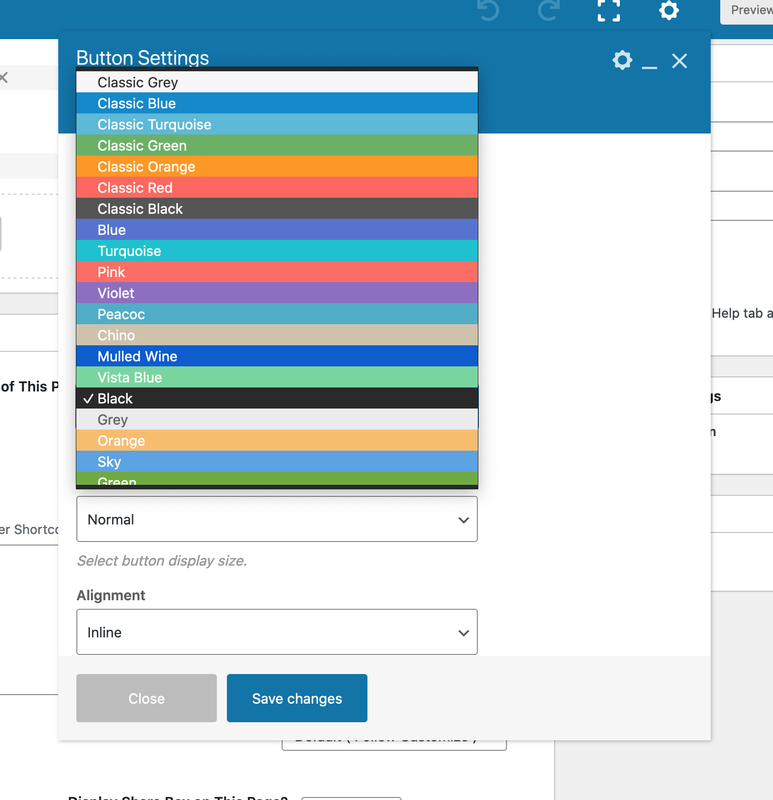
image.png

Regards,
PenciDesign.


Th3k replied

Customer Reply

No, forget it I changed my mind and header. However how do I change the color of this text in the button

PenciDesign Supporter replied

Staff Reply

Hi,

Maybe something went wrong here? This is a screenshot of how a logo with 527 x 339px display on your site:

image.png

if you really want to display it, please confirm and I'll send you a custom CSS code.

Regards,
PenciDesign.


PenciDesign Supporter replied

Staff Reply

Hi,

Please send me the logo dimension you want to display, I'll send you a custom CSS code.

Regards,
PenciDesign.


Th3k replied

Customer Reply

I try it but with Header Style 6 it does not change

PenciDesign Supporter replied

Staff Reply

Hi,

You can change the logo dimension by going to Appearance → Customize → Logo & Header → Logo: enter the value you want to display at Set A Max Width for Logo and Set A Height for Logo Image options.

Regards,
PenciDesign.


Th3k started the conversation

Conversation Start

It is possible to slightly increase the size of the logo

Want to join this conversation or access attachments? Sign in first.