Skip to content
Public Ticket #18615

Login Area

Conversation thread

PenciDesign replied

Staff Reply

Hi,

You've installed the plugin Asset CleanUp and do many configs conflict with our optimizer plugin and it caused the problem.

I just deactivate & remove that plugin and do the right config for you on WP Rocket.

Now, everything is fine.

I recommend you keep everything like now, don't try to install any optimize speed plugin anymore.

Best Regards,

PenciDesign
PenciDesign Supporter replied

Staff Reply

Hi,

1. I can't log in to the SiteTool, this site needs to verify via email,

2. Maybe you've deleted the CodeSnippet plugin? Please clear all the site cache, then follow the instruction in this reply. This error is because the WP Rocket plugin conflict with PageSpeed Optimizer, please read the detail here: https://optimize.pencidesign.net/4.-install-cache

Regards,
PenciDesign.


Paxos Magazine replied

Customer Reply

you could check the site and broken some things that don't load well I don't really know what to do

PenciDesign Supporter replied

Staff Reply

Hi,

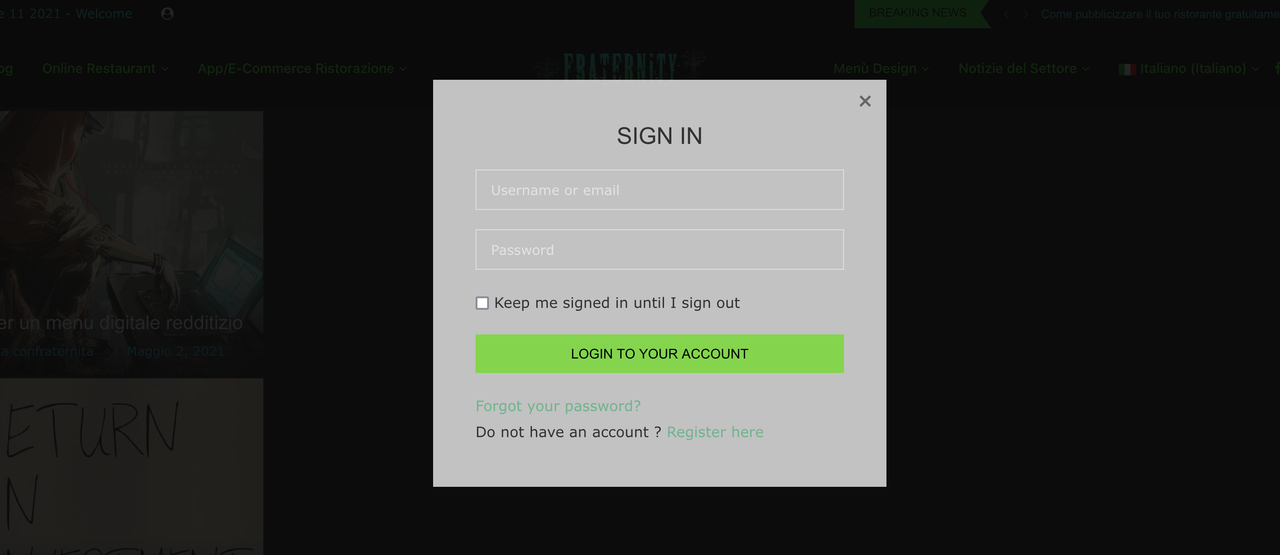
I've checked your site. The login area & login popup now working properly.

Please clear the browser cache then check again.

image.png

Regards,
PenciDesign.


Paxos Magazine replied

Customer Reply

Do I also redo the critical CSS afterwards? have wpRocket and asset clean up pro do I disable both?

PenciDesign Supporter replied

Staff Reply

Hi,

Please follow these steps:

1. Permanently disable all JS/CSS minify of other plugins,

2. Install the Code Snippet plugin, then create a new snippet with the following content:

add_filter('hpp_allow_readyjs', function($ok, $js){
    if(hpp_in_str($js, ['RocketBrowserCompatibilityChecker']) ) return false;
    return $ok;
}, 10, 2);
3. Go to Settings → PageSpeed Optimizer: click Purge All button then try to check again.

Regards,
PenciDesign.


Paxos Magazine replied

Customer Reply

done but still does not work

PenciDesign Supporter replied

Staff Reply

Hi,

The login button is already displayed on the top bar button but not working correctly. Please clear all the site cache then check again.

image.png

Regards,
PenciDesign.


Paxos Magazine replied

Customer Reply

activated but does not show up on the site how come?

PenciDesign replied

Staff Reply

Hi,

You can enable it via Customize > Top Bar > General

Best Regards,

PenciDesign

Paxos Magazine started the conversation

Conversation Start

Can I also have the login on my Drak theme? If so, how can I do it?

Want to join this conversation or access attachments? Sign in first.
