johncarnegie replied
Customer Reply
Hi,
It works again. Thanks a lot.
Hi,
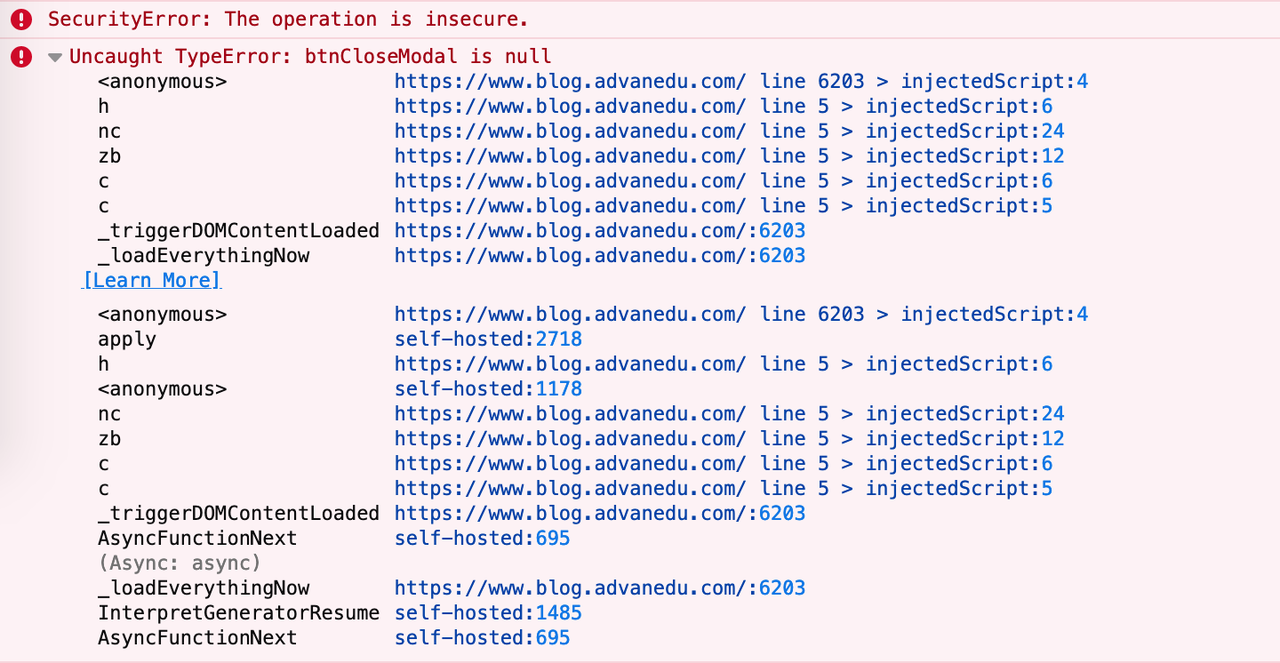
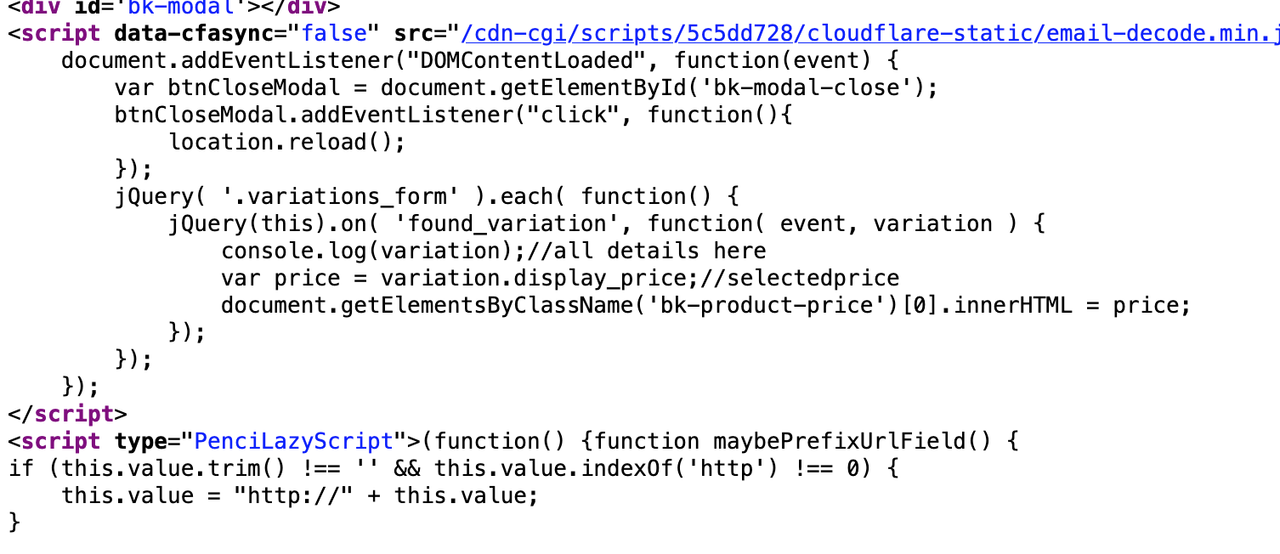
I have just updated your plugins. I didn't add anything new. And I don't know anything about adding JS code syntax.
What should I do next to fix this?
Hi,
Something is wrong. After updating, now my website doesn't show any images. And it is still slow.
Check:
https://ibb.co/r4qNf9t
https://ibb.co/h8F6tgW
https://ibb.co/RSL0zbP
Hi,
Thanks a lot.
Issues 1, 2, 3: solved
Issue 4: Font size: didn't work.
I tried to change the font size to even 50 px, but nothing was changed.
https://ibb.co/L8T9CFR (font was changed to 50px)
https://ibb.co/Kr8jtnv (nothing was changed)
Issue 5: After successfully purchasing an item, when I go to the orders page, there was something wrong with the font.
https://ibb.co/gtgWTSs (something wrong with the font style)
Link: https://www.blog.advanedu.com/tai-khoan/view-order/235692
Issue 6: Warning from Google Search Console
I received a warning from Google Search Console like below:
"Videos issues detected on https://www.blog.advanedu.com
Search Console has identified that your site is affected by 1 Videos issues:
Top Warnings
Warnings are suggestions for improvement. Some warnings can affect your appearance on Search; some might be reclassified as errors in the future. The following warnings were found on your site:
Either "contentUrl" or "embedUrl" should be specified
We recommend that you fix these issues when possible to enable the best experience and coverage in Google Search."
This is the link to the post with the video issue:
https://www.blog.advanedu.com/starters-speaking-phan-1/
I checked and saw nothing wrong with the video. Then I clicked "Validate fix", but it didn't work.
I changed the Youtube URL to the short form, but it still didn't work.
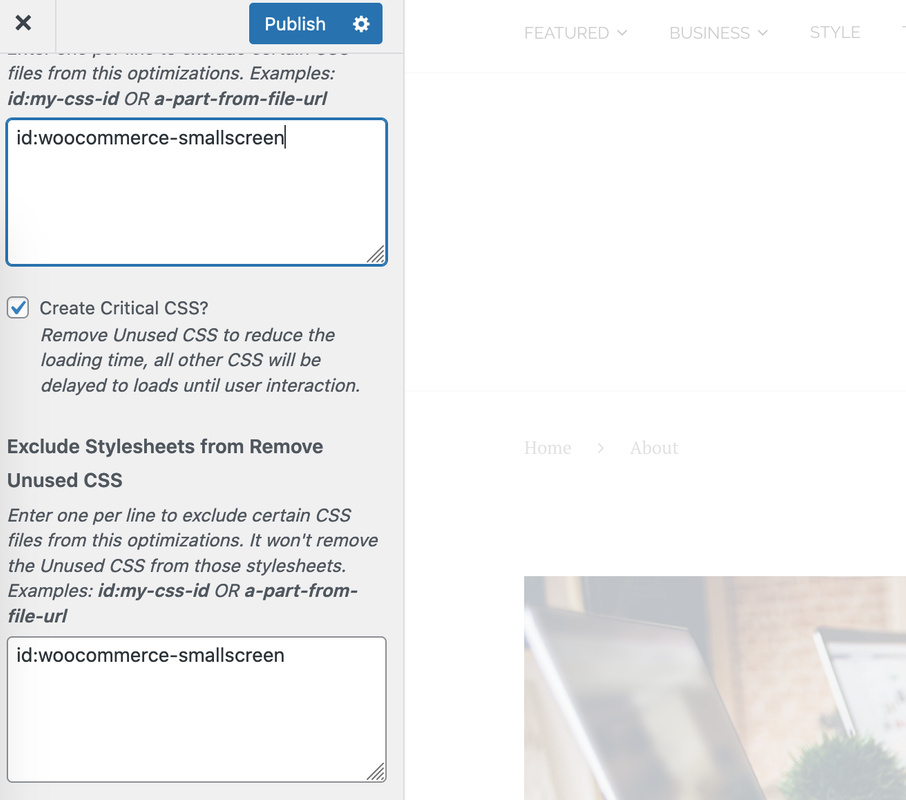
"3. Since version 8.0.7. We've changed the speed optimization plugin & engine. You don't need to run the Critical CSS Tool on Windows, the critical CSS task will be run on your website. If the page you want to view doesn't have a critical CSS before, the page speed optimization plugin will take a little time to scan and get the critical then put it in a cache. That is a reason why you view your page slowly."
--> Yes, I used to follow your previous guideline for speed optimization and worked with Critical CSS Tool on Windows. I don't remember how I did that. If we don't need it anymore, did you remove it from my website? I have just followed the new instruction for speed optimization. I don't remember what I installed before. Is everything is OK now? Do I need to do anything to remove the previous things?
Hi,
After following your suggestions:
Issues 2 and 4 are still there
Issue 3:
Now it turned back to the regular Woocommerce option form. I still want to use swatches because it is easier for users to choose a product or option.
Also, there is something wrong, it is not normal at all.
Now the line Choose an option is not displayed. It stays together with the other options. This is strange.
You can check the following websites of mine.
https://ibb.co/WtQCVjw (This website uses swatches)
Link: https://www.blog.wealthsuccess.edu.vn/product/ielts-band-4-5
https://ibb.co/v1Qw2zf (This website uses the regular Woocommerce form)
Link: https://www.advanmart.com/product/family-and-friends
Your theme is very different. Now it is not the same as the regular Woocommerce form because the line Choose an option is not displayed at first. And it doesn't use the Swatches form either.
Hi,
Issue 1: solved
Issue 2: Still there
If I log in while opening the Checkout page, the Billing Details and Your Order will be in 2 columns
https://ibb.co/4MMv1Wz (Checkout page - log in - good)
But If I log out, The Checkout page will display only one column and I have to scroll down to see the Your Order area.
https://ibb.co/DwDyw8K (Checkout page - log out - bad)
https://ibb.co/s5gN0J3 (Checkout page - log out - bad)
Link: https://www.blog.advanedu.com/checkout
Issue 3
On a product page, Sometimes I can see the line "Choose an option" together with some other options. This is bad
https://ibb.co/KLqh0hH (bad)
https://ibb.co/2qLmyZB (bad)
Sometimes, I only see the options without the line "Choose an option". This is good.
https://ibb.co/mRZKqq6 (good)
link: https://www.blog.advanedu.com/product/ielts-band-4-5
Issue 4
On the Checkout page, how to increase the font size of the letters in the fields? They are too small compared with the rest. I want it to be the same font size as the others, at least 16 px.
Hi,
I have followed the new instruction for speed optimization. In the instruction, you didn't mention anything related to Customizing --> Speed Optimization --> General and lazyLoad. What should I do with it?
From the previous setting, I checked the following items:
Should I leave them checked like that or should I disable them all?
Hi,
I've got some issues with products and shop.
1. Shop page: When you log in, the shop page is displayed well. But if you log out, the shop page is a mess.
https://ibb.co/d2cWrLv (Shop page - log in - good)
https://ibb.co/N9LxT0B (Shop page - log out - bad)
Link: https://www.blog.advanedu.com/shop
2. Check out page: When you log in, the Checkout page is displayed well. But if you log out, the Checkout page is not good.
https://ibb.co/4MMv1Wz (Checkout page - log in - good)
https://ibb.co/DwDyw8K (Checkout page - log out - bad)
https://ibb.co/s5gN0J3 (Checkout page - log out - bad)
Link: https://www.blog.advanedu.com/checkout
I still have a few more issues. Please help me fix those 2 first.
Want to join this conversation or access attachments? Sign in first.
Open your ticket archive, review validated licenses, and continue product support conversations from one customer portal.