Skip to content
Public Ticket #19594

Menu

Conversation thread

Michael Conrad replied

Customer Reply

I do not have this as an option. I have watched video and looked at documentation and still do not have Penci Block to

PenciDesign Supporter replied

Staff Reply

Hi,

Please follow these steps:

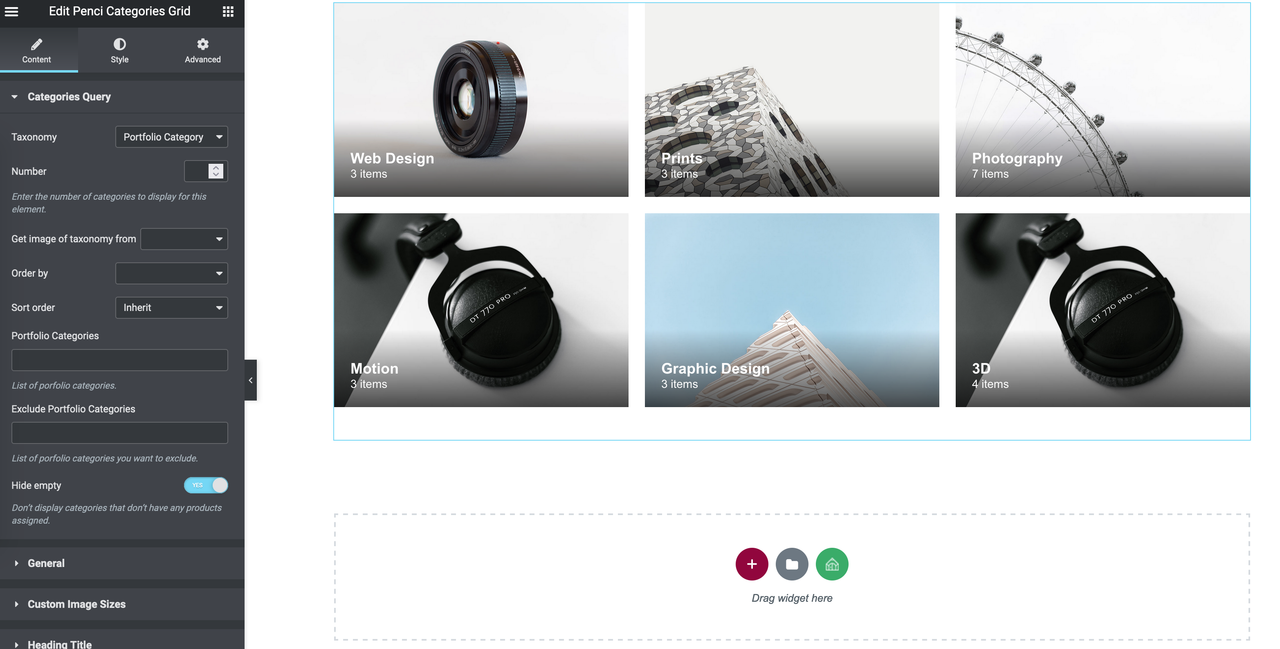
1. Go to Penci Block → Add new: create a new block then edit with Elementor, then insert the Penci Categories Grid to show the WooCommerce Product Category:

image.png

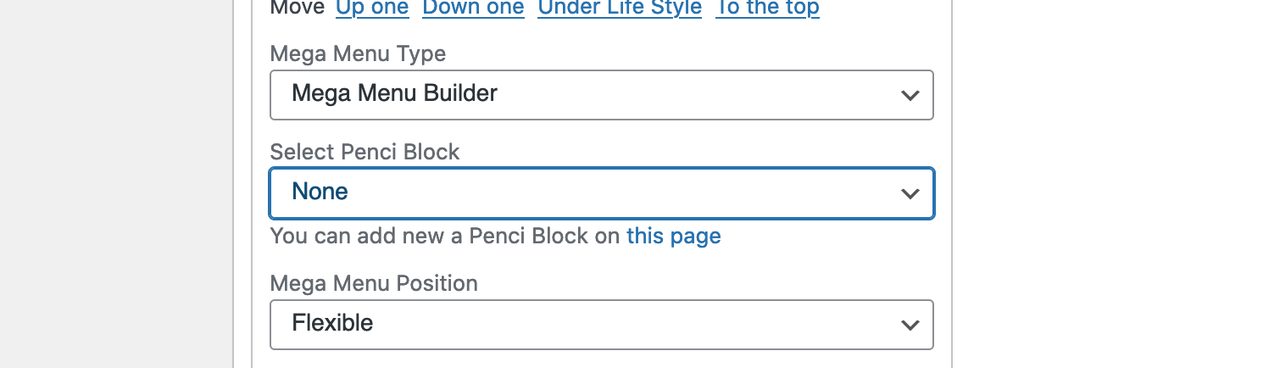
2. Navigate to Appearance → Menus: click the Menu Item you want to display this block, then select Mega Menu Builder at Mega Menu Type & select the block you've created in Step 1 at Select Penci Block.

image.png

Regards,
PenciDesign.

PenciDesign Supporter replied

Staff Reply

Hi,

I can't imagine how the menu you want to display, so please send me a screenshot of your request.

Regards,
PenciDesign.


Michael Conrad started the conversation

Conversation Start

How can I change my menu for shopping to match my recipe menu sub categories? I have watched the videos on youtube but they have no sound to follow. 

Want to join this conversation or access attachments? Sign in first.