Skip to content
Public Ticket #19852

Side column widget

Conversation thread

Jessicahorseek replied

Customer Reply

Hello, it seems working very well on mobile. 
on desktop the shop page works perfectly now, the other pages still won't show some filters but for now i'm just gonna remove the side column. Thank you so so much. 

PenciDesign Supporter replied

Staff Reply

Hi,

1. We always try to help & support buyers without any fee. If you want to high customize or add a special feature to your site, you can contact my leader via this form: https://themeforest.net/user/pencidesign

2. I've fixed the side columns and another issue of WooCommerce for your site.

Please check.

Regards,
PenciDesign.


Jessicahorseek replied

Customer Reply

Actually, I don't know if you or your colleague, regarding the product search he fixed the side column somehow.

https://horseek.ae/?s=breeches&post_type=product

Now when looking for a specific product, in the result listing page the side column is working fine.

PenciDesign Supporter replied

Staff Reply

Hi,

I've help you turn off the Elementor Theme Builder for Shop archive pages. Please go to Appearance → Customize → WooCommerce then customize your shop again.

Regards,
PenciDesign.


PenciDesign Supporter replied

Staff Reply

Hi,

I've logged to your site, the problem because you've overwritten all Soledad default templates by Elementor Theme Builder (Product Archive).

image.png

Please disable it & customize the WooCommerce via Appearance → Customize → WooCommerce.

Regards,
PenciDesign.

Jessicahorseek replied

Customer Reply
Just created a new shop page. Still doesn't show the side column.

7288649890.png

Jessicahorseek replied

Customer Reply

By the way. The SHOP ALL page, fom the pages listing view doens't include the elementor tag like the other do. 

Jessicahorseek replied

Customer Reply

Actually, I found it. This is the settings I have from that page.
Do I have to create a page from scratch? 

Jessicahorseek replied

Customer Reply

Thank you. Were can i find these settings in the screenshot?

PenciDesign Supporter replied

Staff Reply

Hi,

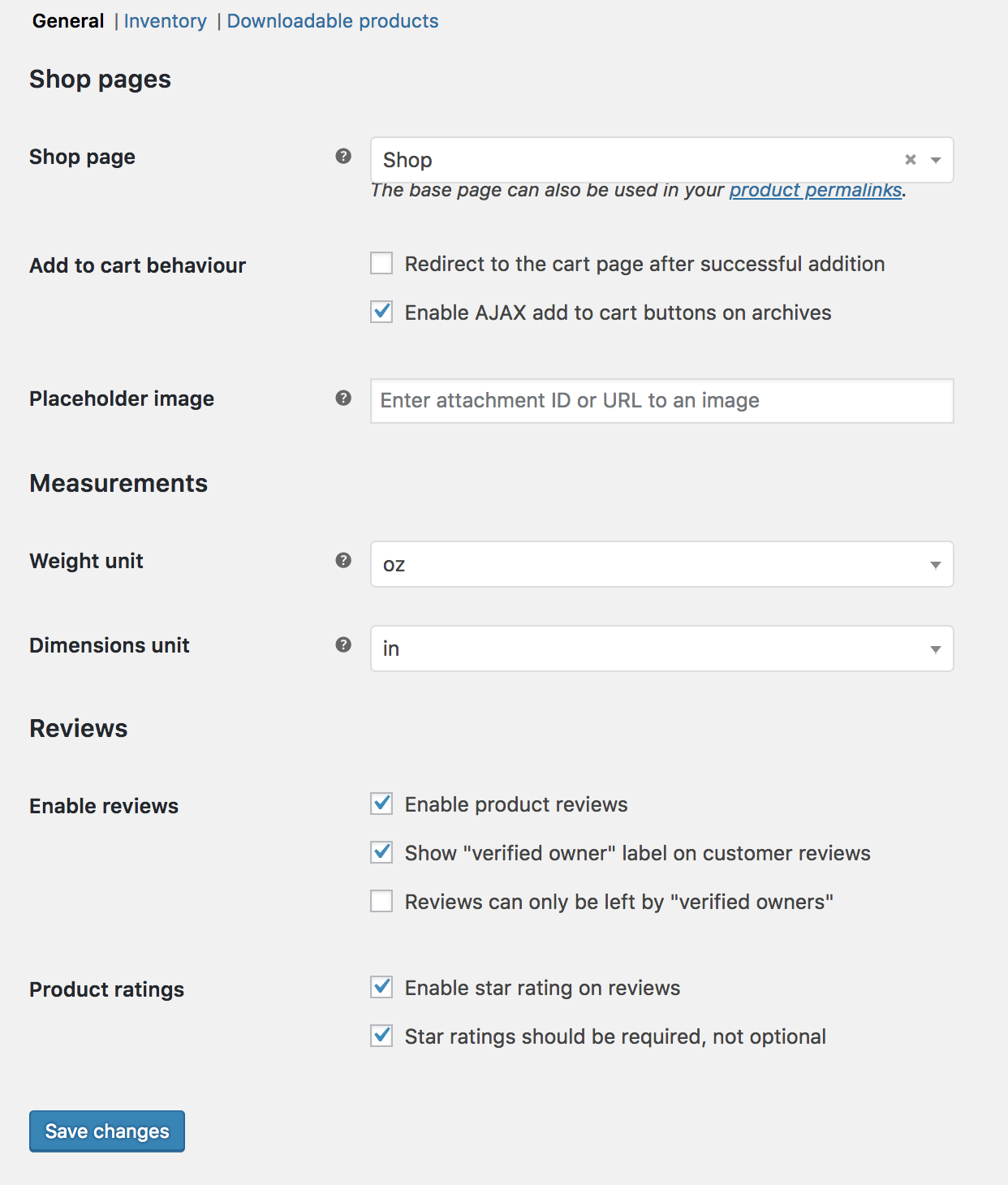
This is a custom shop page from Elementor, so the filter bar doesn't show.

Please use a shop page default on WooCommerce:

woo-settings-products.png

Regards,
PenciDesign.

Jessicahorseek replied

Customer Reply

When I go edit the settings of the side columns widget I see an Error message. Does it have to do with that?

Jessicahorseek replied

Customer Reply

Hello,
Ok.... anyway. Now i'm working on the shop page. The side column doesn't even shop up. I checked page settings and theme settings... It seem to be I activated everywhere but it doesn't show up. 

PenciDesign Supporter replied

Staff Reply

Hi,

The WooCommerce filter widgets only work on the main shop page, not working on the custom page.

Regards,
PenciDesign.


Jessicahorseek started the conversation

Conversation Start

Hello guys. I'm trying to fix the product archive pages. I added a side column. The style selected is Custom sidebar 1. In the screens attached you can see all the filters added for the sidebar of which just a few of them actually show up on the archive pages. None of the soledad filters are showing up. Can you please help me out.

Want to join this conversation or access attachments? Sign in first.