daydreamerrc replied
Customer Reply
You nailed it. My safari zoom was at 125%
Thank you!
I'm using a new iphone 15pro and I'm not seeing any X close option like your getting. here's a video of what I see.
I'm unable to upload my screen recording.
ronniecreager.com
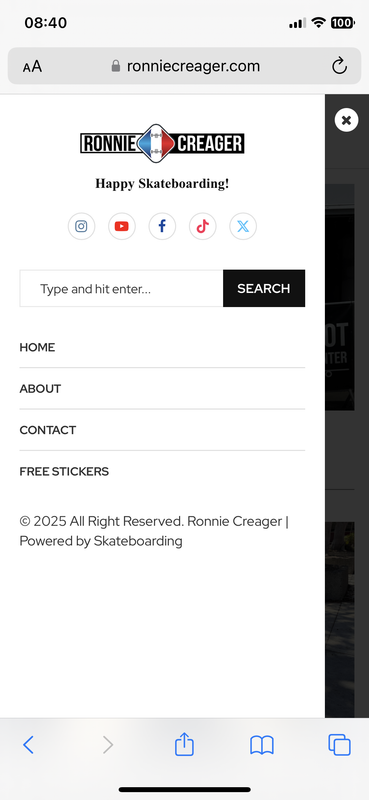
When tapping the hamburger menu on mobile - It opens up the menu so large, It does not have the option to "close" the menu and return to home page.
What can I do to fix this? I'm in design stage of my website and using a temp url. In the image you can see that the mobile menu is open and no option to close menu.
Thank you!
Want to join this conversation or access attachments? Sign in first.
Open your ticket archive, review validated licenses, and continue product support conversations from one customer portal.